Built in Nepal. Works anywhere.
Attendance, leave and payroll in one app, wherever your team works.
Staff clock in from a phone or laptop, at the office or away. Leave balances update themselves, and payslips come with Nepal's SSF and TDS already worked out. Projects and team chat sit in the same app.
- Free for 30 days
- No card needed
- English and नेपाली
LiveSita Sharma clocked in from her phone · 8:52

Today's attendance
0 of 6 in0%
- Sita Sharma8:52
- Bikash Shrestha8:57
- Anjali Gurung9:01
- Nisha TamangLate9:14
- Ram KarkiLate9:20
Leave request
Prakash Rai · Home leave · 2 days
Kartik payroll
Ready to approveNPR 0
- SSF (11% + 20%)
- NPR 1,24,000
- TDS
- NPR 9,850

See WorkforceOS in 30 seconds
The dashboard, approving leave, adding an employee, payroll, a project and the search box, in the demo company.
Made for how Nepal works
Bikram Sambat and AD dates
Shown side by side on the calendar, leave, attendance and payslips.
This year's public holidays
Added when you sign up, Dashain and Tihar days included. Add or remove your own.
Leave types from the Labour Act
Home, sick, maternity, paternity and mourning leave ready to use. You set the days.
SSF and TDS deadlines
Tracked every Nepali month, with a reminder 7 days and 1 day before each deposit.
Festival allowance
A reminder before Dashain so one month's basic salary goes out on time.
Nepali for your staff
Employees can switch their screens to Nepali. Admin screens are in English.
One app, four points of view
What does your day look like?
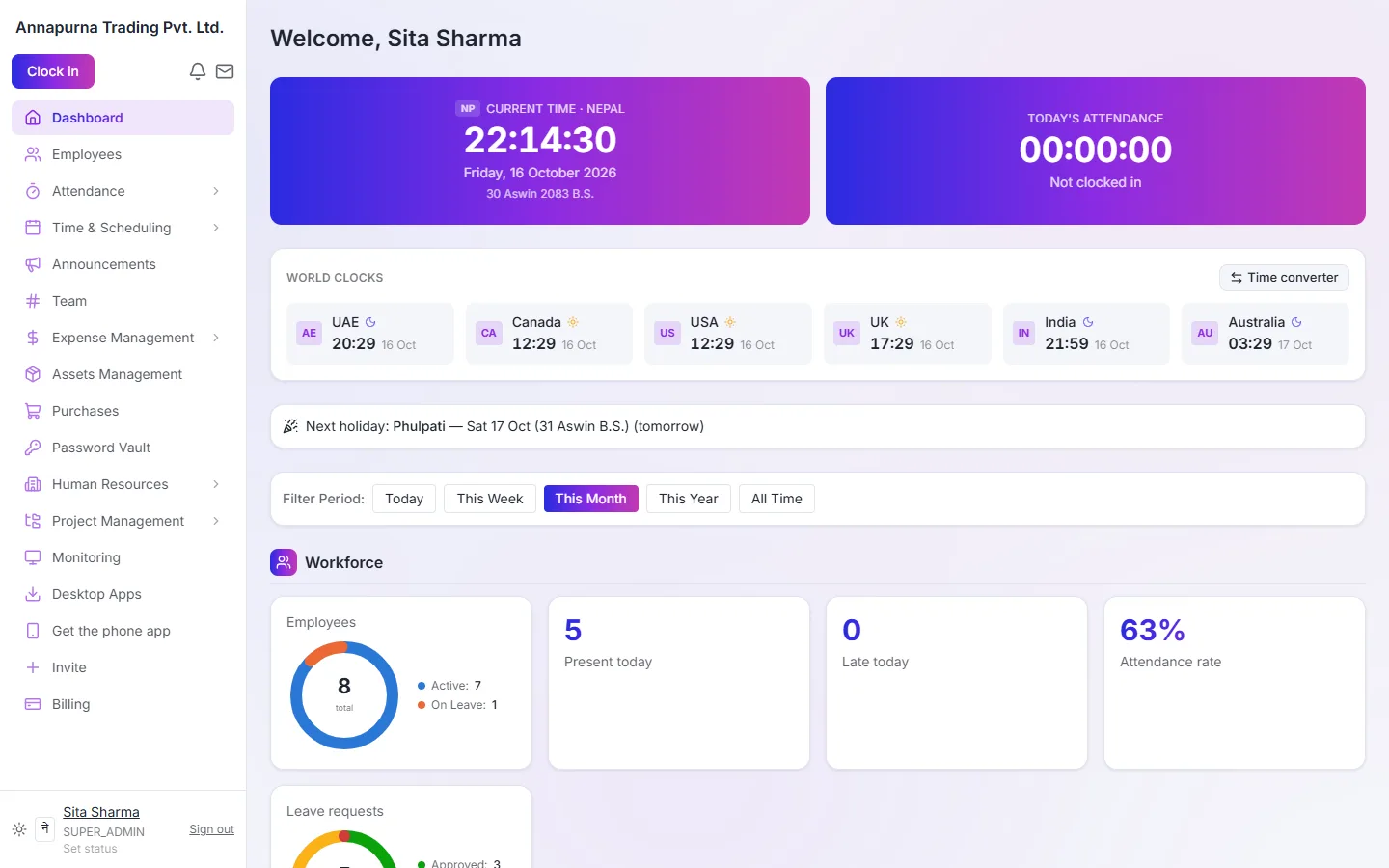
Know how the company is doing without asking around.
- Who is in today, at a glance
- Payroll totals, SSF and TDS dates
- Approvals waiting for you
- 30 days
- Free trial, no card
- 9
- Modules in one app
- 2
- Languages: English and नेपाली
- 1
- Sign-in for everything
Also in the box
Included in the packages that have them, with nothing extra to install.
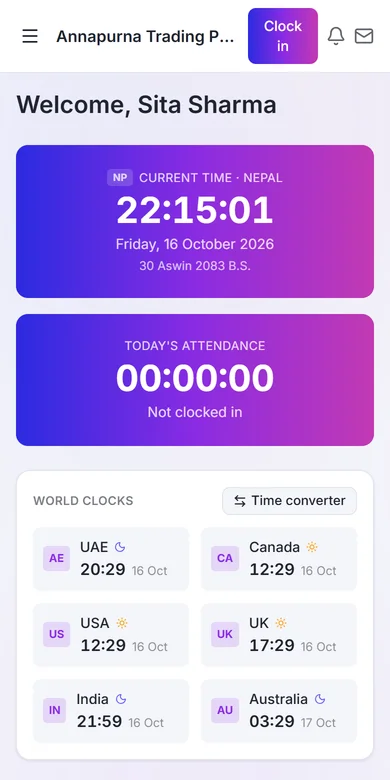
Works on any phone
Add WorkforceOS to the home screen. No app store, no updates to chase.
Team chat and video calls
Channels, threads and calls next to the work they're about.
Password vault
Share logins safely, with autofill only if you choose.
Projects and timesheets
Boards, tasks and time per client.
Audit log and 2-step sign-in
See who changed what, and keep accounts safe.
Start this afternoon
- 1
Sign up
Your company is ready in minutes, with this year's holidays and Labour Act leave types.
- 2
Invite people
Send invites by email. Each person fills in their own profile and bank details.
- 3
Run your first month
Attendance flows into payroll. Approve the month and payslips go out by email.
Packages
Try any package free for 30 days, then pick the one that fits.
- BasicAttendance, leave, chat and expense claims for a small team.
- StandardAdds payroll, assets, projects, helpdesk and performance reviews.
- PremiumEverything, including desktop monitoring, password vault, hiring, compliance and purchases.
- CustomPick the modules you need. Priced for your team.
Before you sign up
Who can see our company's data?
Only the people in your company, with the access you give them. Each company has its own private space. A Super Admin can download all of the company's data at any time from the Billing page.
What happens when the free trial ends?
WorkforceOS pauses until you choose a package. Nothing is deleted, and everything opens again exactly as you left it.
How do we pay?
By bank transfer, eSewa or Khalti. You get an invoice for every payment.
Does it work on phones?
Yes. Staff open it in the phone's browser and add it to the home screen. Clock-in, leave, payslips and chat all work there, with no app store needed.
Do we need the desktop app?
Only if you want clock-in from Windows computers or desktop monitoring. Everything else runs in the browser.
Can we move our existing employees in?
Yes. Add them one by one or invite them, and each person fills in their own profile, bank and document details.
Talk to us before you start
Leave your name and email and we'll answer within one working day, by email or a call, whichever you prefer.
Free for 30 days
Ready when your team is
Every feature free for 30 days. No card needed. Questions: contact@workforceos.info.