Festive Offer upto 78% · 17 days left See offer prices

Windows desktop appWorkforceOS in its own window, with notificationsDesktop agentClock in from the computer; optional monitoringPassword vault extensionFill and save logins in Chrome and EdgePhonesAdd WorkforceOS to the home screen, no app store
Every feature, free for 30 days. No card needed.Start free
Log in
WorkforceOS
AgenciesClient projects, timesheets, chat and HR together.Factories and manufacturingShifts, overtime, leave and payroll, in Nepali for staff.IT companiesProjects, chat, password vault and payroll in one place.NGOs and INGOsStaff in many districts, project contracts and timesheets.SchoolsTeacher attendance, leave, payroll and the school calendar.
Every feature, free for 30 days. No card needed.Start free
PricingLive demo

Learn

BlogGuides for employers in NepalHelp centreHow to set up and use WorkforceOSWhat's newNew features and fixes

Free tools

Dashain allowance calculatorFestival allowance and the tax on it

Compare

vs separate HR, chat and project toolsOne app vs an HR tool, a chat tool and a project tool.vs spreadsheetsWhen spreadsheets stop working for attendance, leave and payroll.
Every feature, free for 30 days. No card needed.Start free
Book a demoStart free trial

Monitoring

Optional desktop monitoring, out in the open

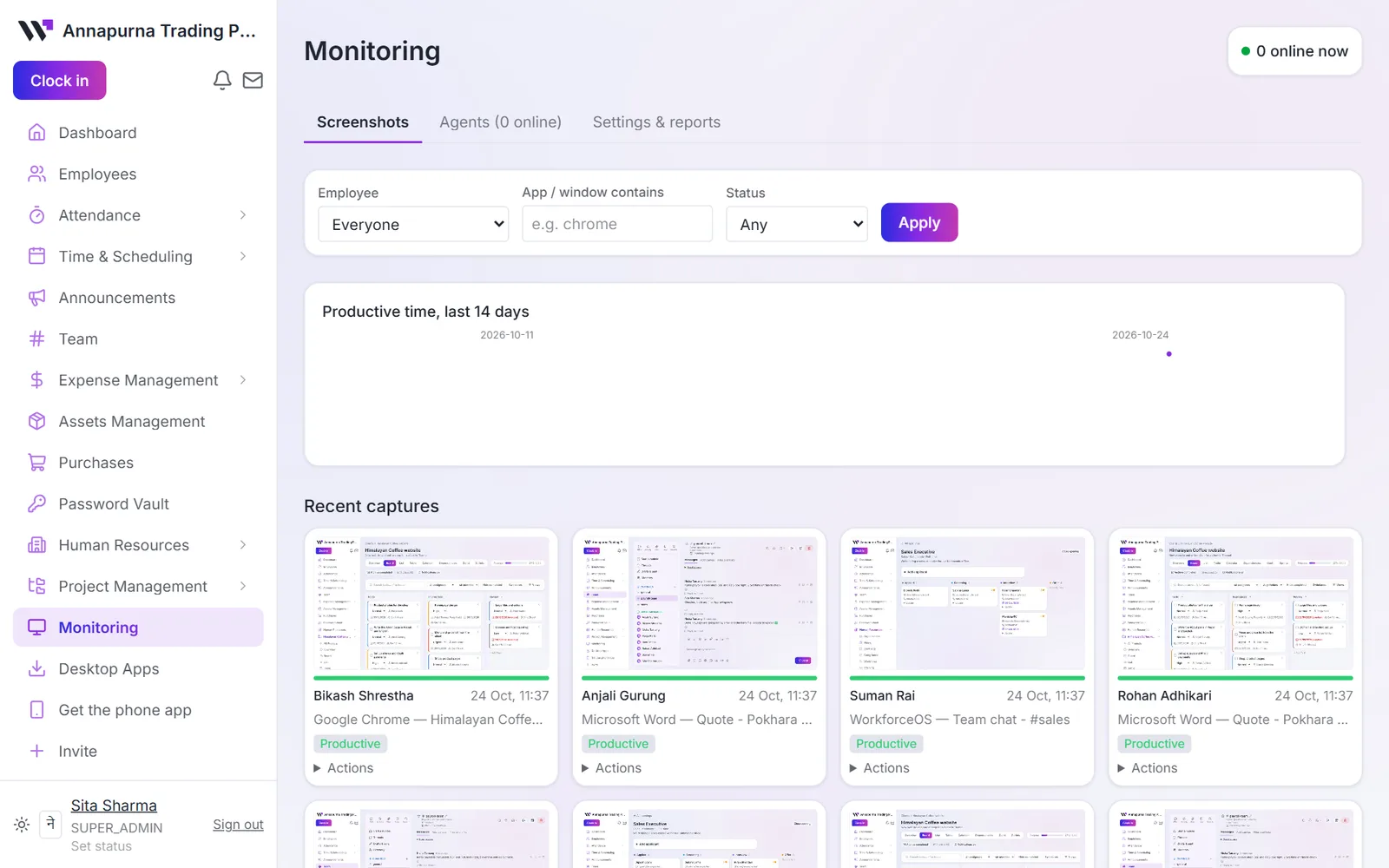
For teams that need it, the Windows desktop app can record activity and screenshots while someone is clocked in. Staff agree to it first.
Start your free trialSee packages
Monitoring page with recent desktop captures for each person, the app in use and a productive label

What it covers

Only while clocked in

Nothing is recorded outside working time. Clock-ins from a phone take no screenshots.

Consent

Each person agrees before monitoring starts.

Blur

Screenshots can be blurred so details are not readable.

App alerts

Get an alert when a window title matches words you choose.

Review

Mark captures as reviewed, approve or reject activity.

Deletion requests

Staff can ask for a screenshot to be deleted, and an admin approves it.

Start your free trialorBook a demo

Questions

Is monitoring required?+

No. It is off unless you turn it on, and only with the desktop app.

Who can see screenshots?+

Only the admins and managers you allow.

Free for 30 days

Try it with your own team

Free trial, no card needed. Questions first? Write to contact@workforceos.info.

Start your free trialBook a demo
Your first week0% set up
WorkforceOS

Attendance, leave, payroll, projects and chat. One app for the whole team.

HR and payroll tips for Nepal, once a month

Once a month. Leave any time by replying "stop".

Features

Attendance and clock-inCompliance CenterDesktop monitoringHiring and onboardingLeave managementPassword vaultPayroll with SSF and TDSProjects and tasksSalary advances and staff loansSalary certificates and HR lettersShift and roster plannerTeam chat and video calls

Who it's for

AgenciesFactories and manufacturingIT companiesNGOs and INGOsSchools

Resources

BlogHelp centreWhat's newDashain allowance calculatorPricingvs separate HR, chat and project toolsvs spreadsheets
contact@workforceos.info+977 974-5941535Lalitpur, Nepal

WorkforceOS

© 2026 WorkforceOS · Made with 💜 by The Purple Bytes

Sign inSecurityStatusPrivacy PolicyTermsSitemap Back to top